Text to image
Turn a written description into an image in the Tyzli studio.
Text to image is the core of the image studio: you describe a picture in words, and the model draws it. All seven image models support it.
How it works
- Choose a model on the model card (click Switch to change it).
- Pick an aspect ratio and how many images you want (1-4).
- Write your prompt, up to 4,000 characters.
- Check the price on the button and press create, or use Ctrl/Cmd+Enter.
Results usually arrive in 10-40 seconds and show up in the My creations tab.
What makes a good prompt
A good prompt answers a few simple questions:
- What is in the picture? (subject)
- Where is it? (setting)
- What light is there? (golden hour, neon, soft studio light)
- What style? (photo, watercolor, 3D, anime)
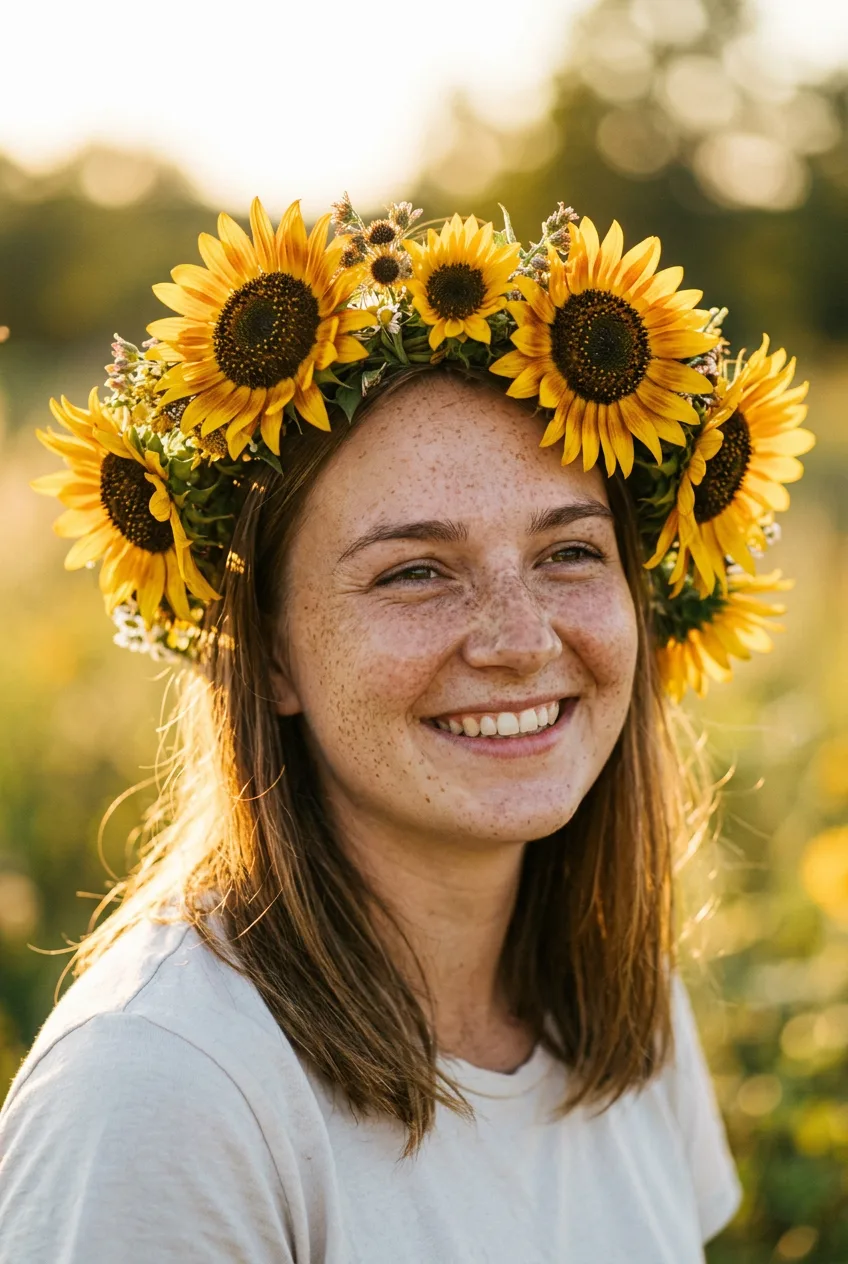
Portrait of a freckled young woman wearing a crown of sunflowers, soft natural window light, shallow depth of field, warm tones, 85mm photo
Isometric tiny coffee shop diorama, warm interior lights, little plants and chalkboard menu, soft pastel colors, 3D render
For much more detail, see the Complete prompting guide.
Pick the right model
| You want | Try |
|---|---|
| Quick, cheap drafts | Nano Banana Lite (10 credits) |
| Good all-round results | Nano Banana 2 (20 credits) |
| Realistic faces or readable text | Nano Banana Pro (35 credits) |
| Posters and layouts | GPT Image 2 (25 credits) |
| Logos and lettering | Ideogram (20 credits) |
The full comparison is in Choosing a model.
After you create
Click a result to open it. You can Download it, Edit this image to use it as a reference, Reuse prompt and settings or Copy prompt.
Tip
Generate 2 to 4 images at once when you're exploring an idea. Each one comes out a little different, so you get more options to choose from. The price multiplies with the number of images.