Your first image in 1 minute
Create your first AI image in five quick steps, using your free starting credits.
Updated 2026-10-12 Markdown
You get 60 free credits once you confirm your email, which is enough for three images with the default model. Here's how to make your first one.
Step by step
- Open the image studio (the Image icon in the left rail).
- Check the model card at the top of the left panel. Nano Banana 2 is a good first choice at 20 credits per image.
- Pick an aspect ratio. Choose 1:1 for a square or 2:3 for a portrait.
- Type what you want to see in the prompt box. Describe the subject, the place and the light.
- Press the create button, or use Ctrl+Enter (Cmd+Enter on Mac).
The price in credits is shown on the button before you press it. Results usually arrive in 10-40 seconds.
Try this prompt
Prompt
A 3D clay figurine of a fox in a tiny astronaut suit, standing on a pastel moon, soft studio light, playful and cute
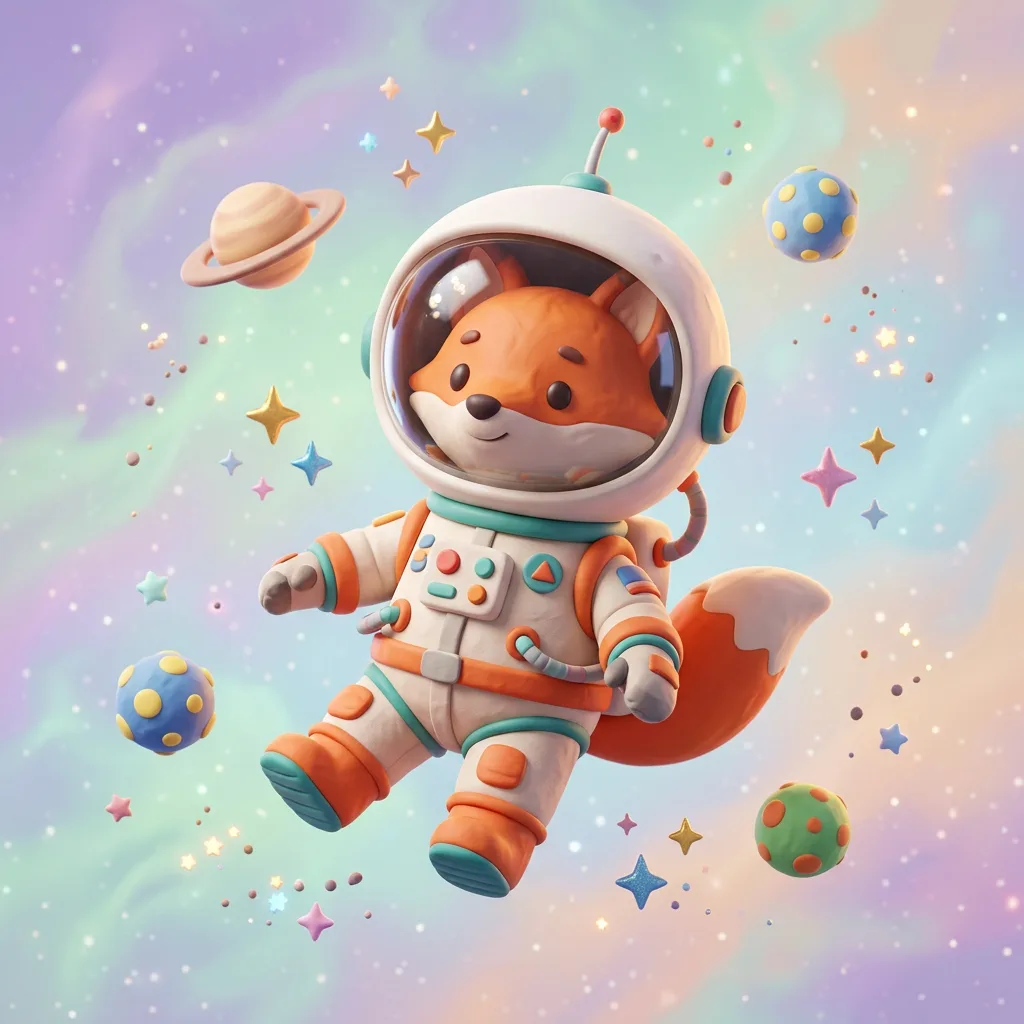
No idea what to write?
- Press the Idea button to insert a random prompt.
- Open the Inspiration tab and click any image. Its prompt and format fill in automatically, so you can create a similar picture right away.
What to do with the result
Click the image to open it. From there you can:
- Download it in full size.
- Edit this image to use it as a reference for your next generation.
- Reuse prompt and settings to try again with small changes.
- Copy prompt to save it for later.
Tip
Every generation is a little different. If the first result is close but not quite right, run it again or change one detail in the prompt.
Next steps
- Learn the layout in A tour of the interface.
- Write better prompts with the Complete prompting guide.
- Claim your free daily energy (up to 20) with the "daily" button next to your balance.
Was this article helpful?