Social media posts and posters
Make posts, stories and posters with headlines, using a Magic tool or the studio.
Updated 2026-10-12 Markdown
Tyzli can create finished social visuals with your headline on them. Here are two ways to do it.
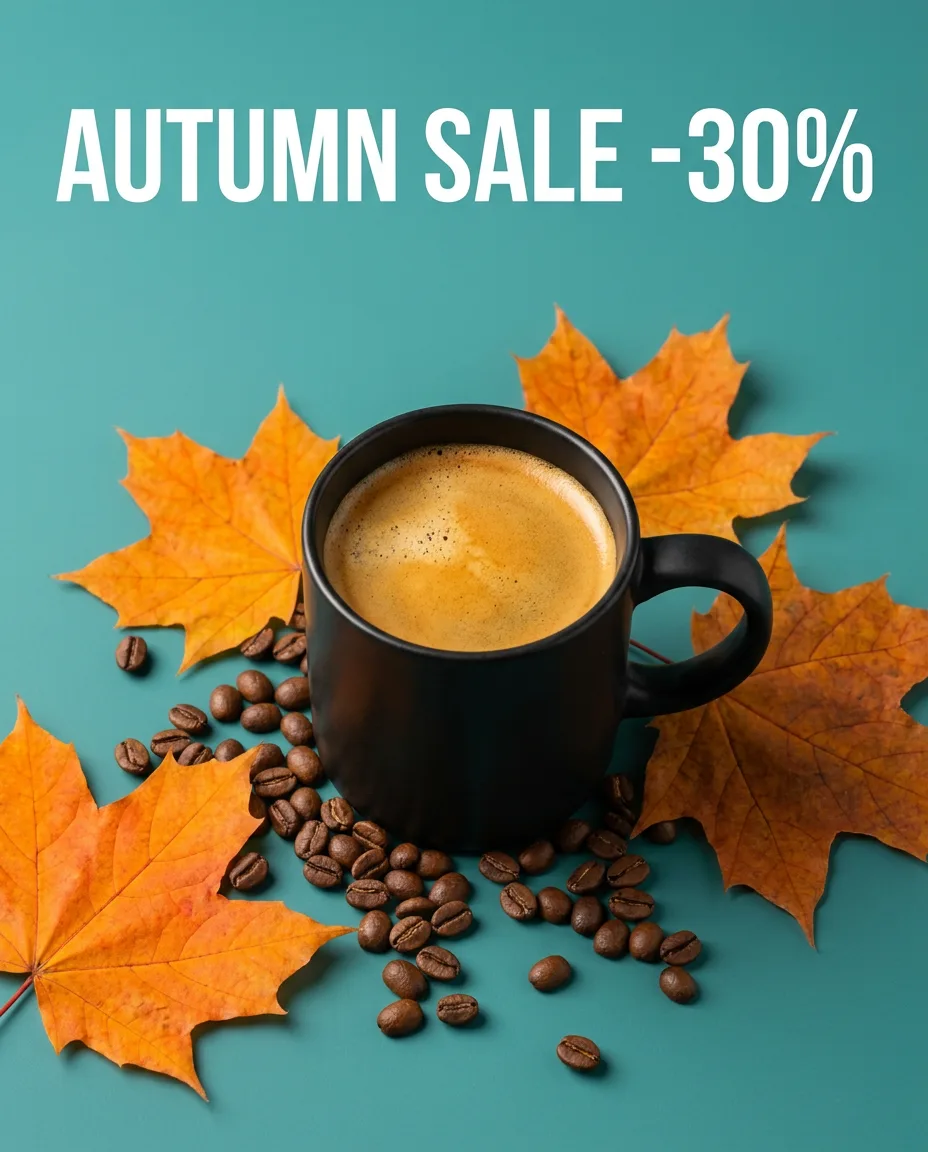
The quick way: Social media visual
In Magic tools, open Social media visual (35 credits per image, no photo needed).
- Enter the topic, for example "coffee shop autumn sale".
- Add an optional headline, for example "AUTUMN SALE -30%".
- Pick a mood.
- Choose 1, 2 or 4 variants and press Create.
The custom way: a prompt in the studio
Use a model that writes text well: Nano Banana Pro (35), GPT Image 2 (25) or Ideogram (20).
Prompt
Instagram post for a coffee shop: a latte with leaf art on a teal background, falling autumn leaves, the headline "AUTUMN SALE -30%" in bold white letters at the top, clean modern design
Prompt
Concert poster, synthwave style, a retro car driving into a neon sunset, the title "NIGHT DRIVE" in big chrome letters, the date "12.10" small at the bottom
Formats
| Where | Ratio |
|---|---|
| Instagram feed | 4:5 or 1:1 |
| Stories, Reels, TikTok | 9:16 |
| Posters | 3:4 or 2:3 |
| YouTube thumbnail, banners | 16:9 |
Tips for text
- Put the exact words in quotes.
- Keep it short: a headline and maybe one small line.
- Say where the text goes (top, center, bottom) and its color.
- Check spelling in the result before you post. If a letter is wrong, open the image, click Edit this image and ask to fix that word.
Keep a consistent look
- Save your best prompt with Copy prompt and change only the headline and subject each time.
- Mention your brand colors in every prompt.
Tip
Need a caption too? Ask the AI chat to write it. A 1-credit model is enough.
Related
Was this article helpful?